TL;DR — the project in a nutshell
Mahindra Tractors wanted an "Uber for tractors" — an aggregator that could connect tractor drivers with farmers across rural India, breaking the first-come-first-served relationship economy that priced rentals out of reach for many smallholding farmers.
"I was trying to sell a smartphone app to someone who had never held a smartphone."
I led research and interaction design for the driver-facing Android app — running field research 1,600 km from the studio, designing in five regional languages, wrestling with bright sun, vibration, and varying smartphone fluency, all on a tight proof-of-concept timeline.
5
States & languages supported
1,600 km
Travelled to the pilot village
32%
Drivers reporting on time (baseline)
82%
Of Indian farmers run smallholdings
Project overview: an "Uber for tractors"?
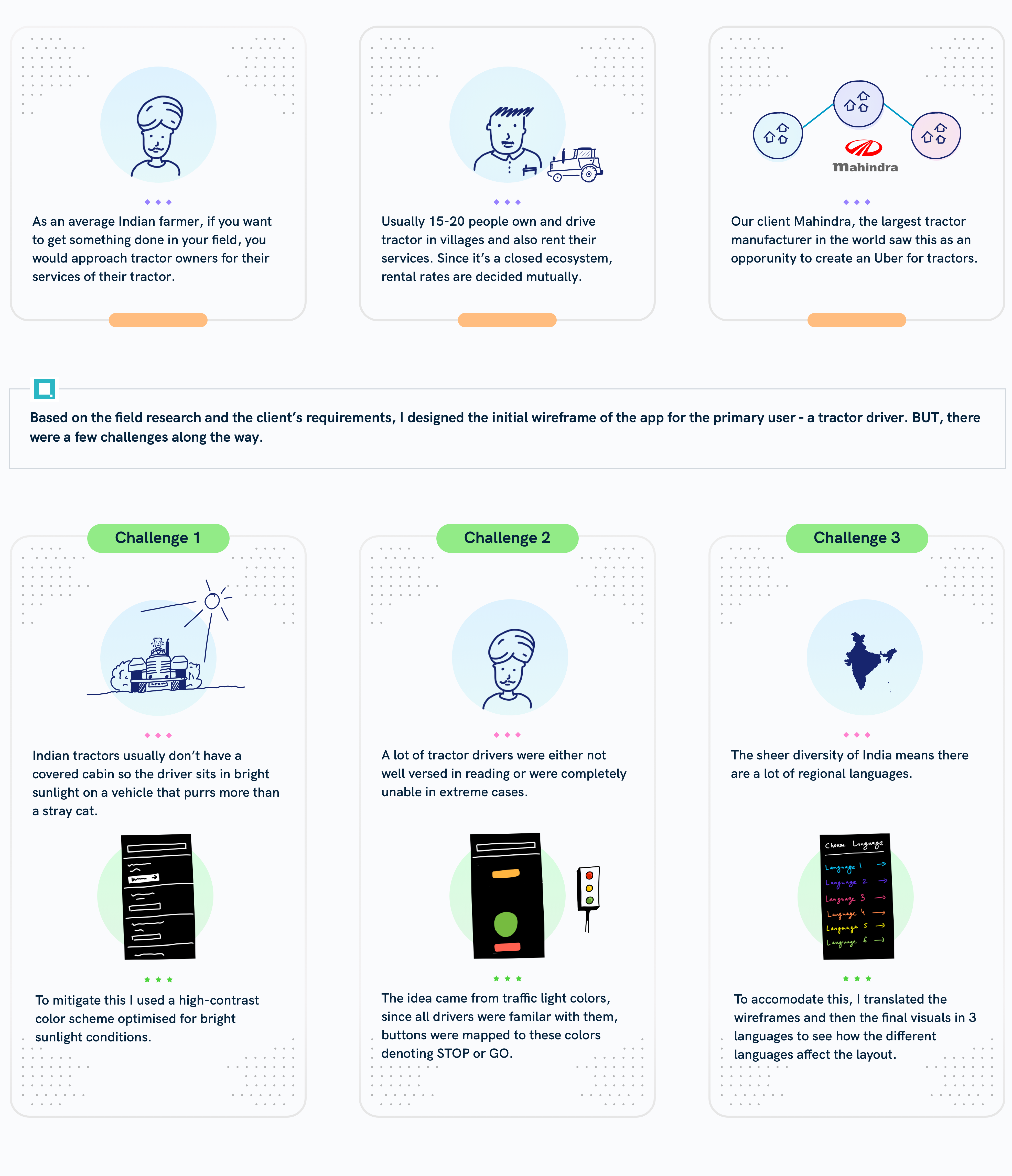
Unlike in developed markets, most farmers in India don't own tractors. A handful of owners rent theirs out to neighbours on a first-come, first-served basis — local ecosystems built on personal relationships, opaque pricing, and no guarantees on availability.
Mahindra Tractors saw an opening: an aggregator could increase competition and availability, bringing rental costs down — the same shift Uber drove in the cab market. They invited us to design an app to connect drivers and the farmers who book them, with native language support across the five states where the pilot was active.
The product was a two-sided platform, but our scope started with the side that was actively losing the company money: the driver app. The existing one had usability issues serious enough that drivers couldn't operate it on their own — leaving the call centre to do most of the dispatching by phone.
As lead UX designer I owned:
- → Secondary research to ground myself in Indian agriculture and the rental market
- → A stakeholder workshop to translate Mahindra's brief into a problem statement
- → Field research in a pilot village in Maharashtra
- → Concept exploration, wireframing, and usability testing in five languages
- → Visual design — palette, type, hierarchy, and Indic-script font selection
The brief: a proof of concept under pressure
Mahindra had already shipped a driver app once and watched it stall — drivers couldn't actually use it. The new ask was the same product surface, but redesigned so a driver with low smartphone fluency could run their day from it. The catch: this was a proof of concept, with limited room for iteration and a hard deadline.
The user
Tractor drivers in five states, with widely varying levels of comfort with smartphones — some power users of WhatsApp, some who'd never held one.
The constraint
A short PoC timeline — no time for repeated field trips, no engineering budget for ambitious interaction patterns.
The bar
A driver could pick up the phone, see their next job, and start it — without a call from dispatch and without help from a literate friend.
Secondary research: understanding the domain
Before meeting the Mumbai-based client I worked through reports from the FAO, RBA, and IASRI to ground myself in Indian agriculture — a domain I had zero exposure to. Four findings shaped the brief:
1. Smallholdings dominate
Decades of subdivided family holdings mean 82% of Indian farmers run smallholdings. The FAO finds smallholders are the most efficient operators and the most likely to favour mechanization through rental.
2. Tractors as production assets
Tractors are now considered investments, not just farm equipment — bought partly to be rented out for additional income.
3. Underutilization at the top
Medium and large farmers consistently under-use the tractors they own. A rental marketplace converts that idle time into supply for smallholders.
4. Contract farming is a tailwind
Contract-farmed crops are more amenable to mechanization (IASRI, 2006), and the practices that come with them lift yield — accelerating demand for rentable equipment.
Field research: defining the real problem
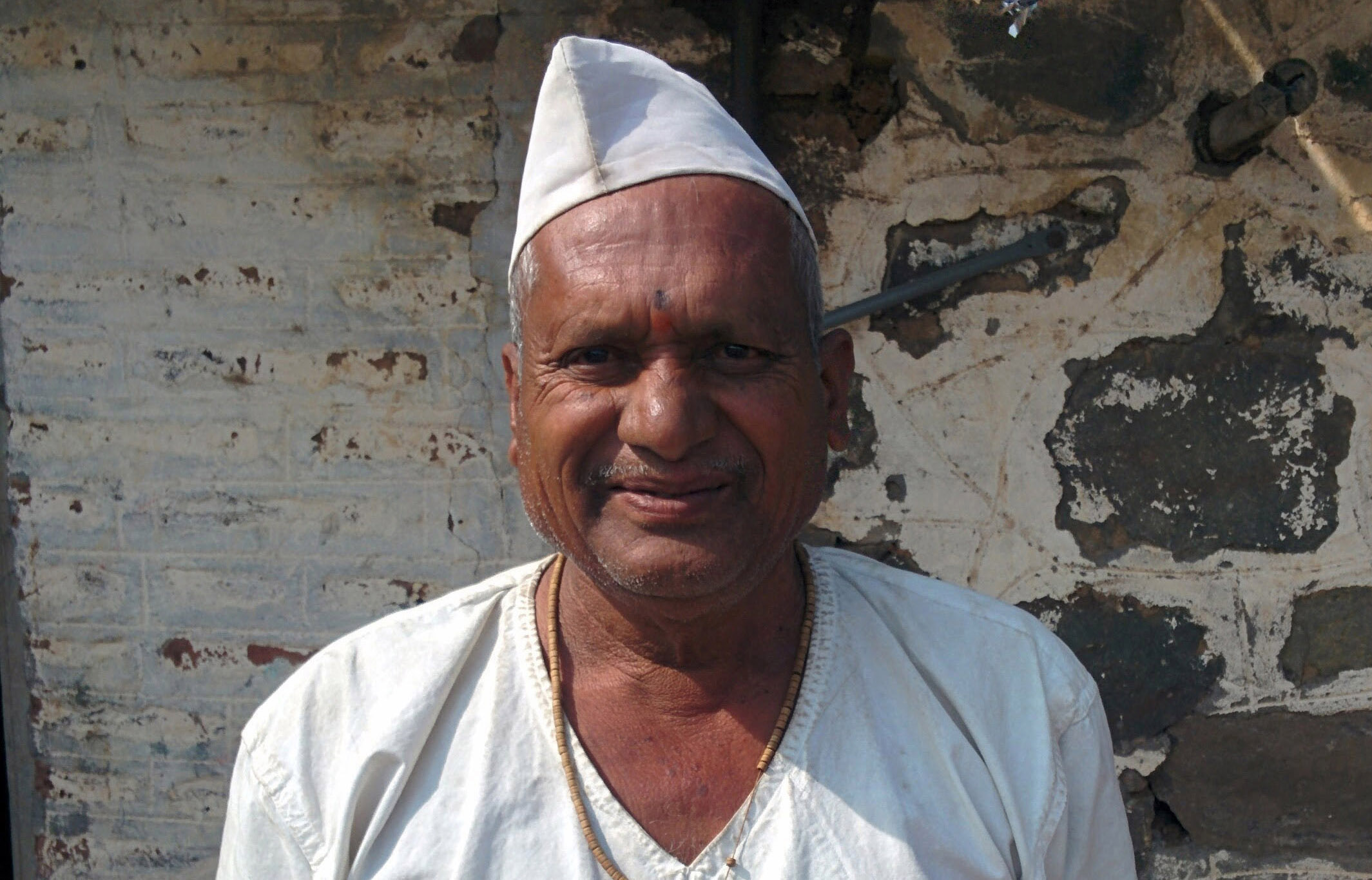
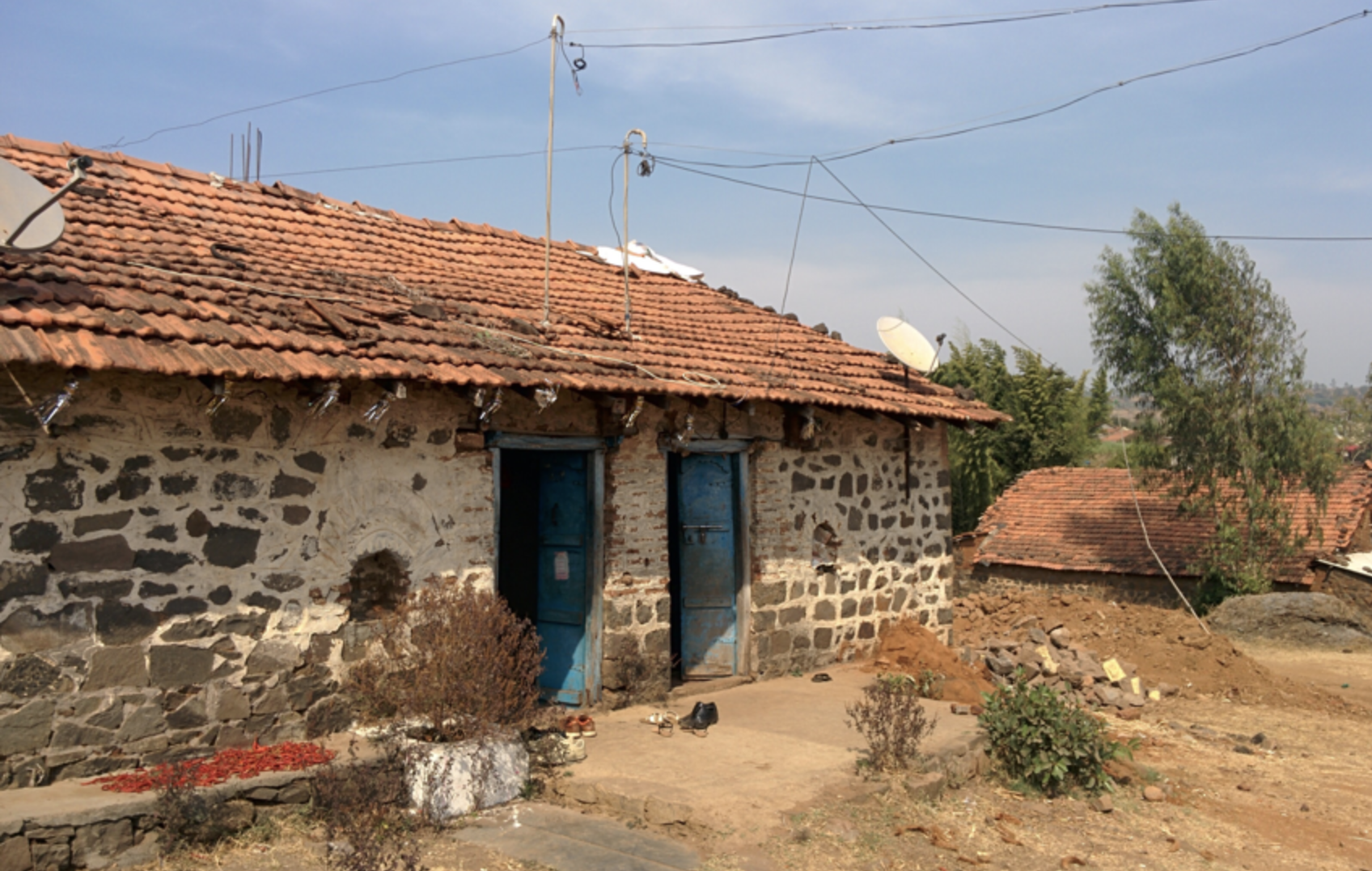
The brief was clear; the reality was not. The team flew to Mumbai, drove 1,600 km to a village in Maharashtra where the pilot was already running, and spent days with drivers and tractor owners across their actual workday — at home, in the field, on the road between jobs.
Four findings reshaped the design before a single wireframe existed:
- → Drivers were comfortable with WhatsApp — but with little else. It became the design's anchor for "familiar."
- → Map-based UIs were close to useless. Villages don't have consistent addressing, and most landmarks aren't on any map.
- → Only 32% of drivers reported on time — the single biggest operational pain the platform was meant to solve.
- → Most drivers were unclear about what each job actually required — which attachment, which crop, which farmer.
What we couldn't have learned from a desk
- → Drivers spend most of their time under direct sun — most tractors sold in India are open-air.
- → Tractors vibrate hard. Reading text on a screen while moving is genuinely difficult.
- → Phones live in pockets that also hold farm tools. They get scratched, smudged, and dusty.
- → Job context is a social object. Drivers ask the farmer questions on arrival — they don't read briefs.
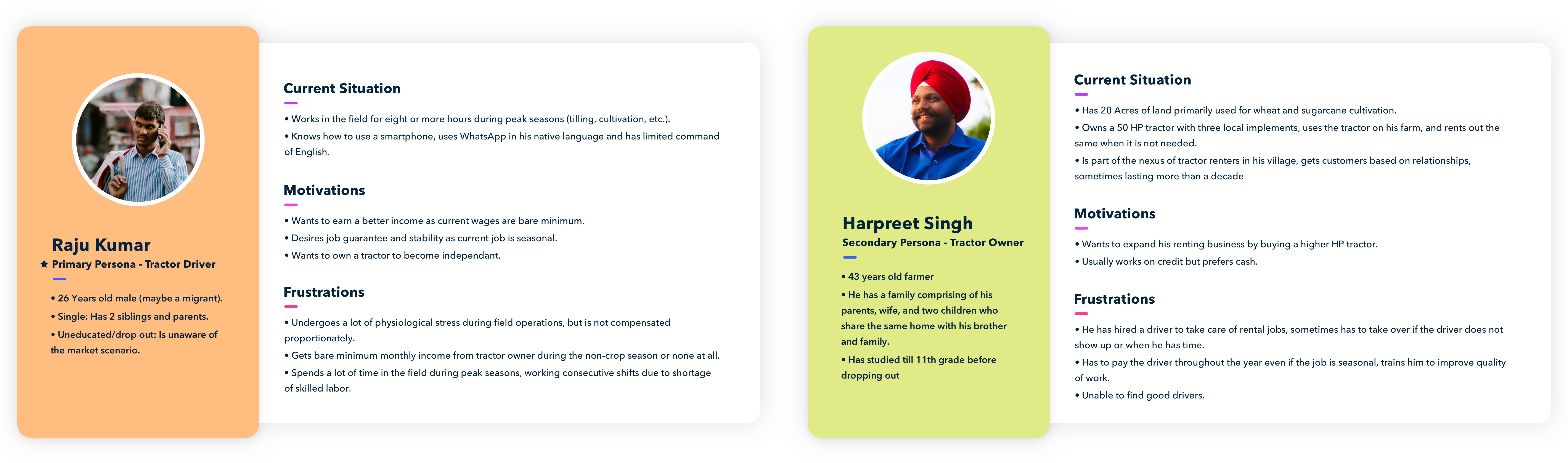
Designing around the field
Three environmental constraints had to be answered in the interface itself, not tucked into a settings panel. They became non-negotiable design rules:
☀
Bright sunlight
Open-air tractors mean direct sun is the default lighting. Type and CTAs were pushed to very high-contrast combinations and validated against accessibility ratios so they'd survive on a glare-washed screen.
↕
Vibration
Tractors shake. Small body text becomes unreadable on the move. Type sizes were bumped, hit targets enlarged, and key information lifted to the top of the screen so a driver could glance once and put the phone away.
⌨
Mixed fluency
Some drivers had thumbed WhatsApp for years; others had never used a smartphone. The interface had to be scannable for the first group and obvious enough to onboard the second without text-heavy instructions.
Concept and evaluation
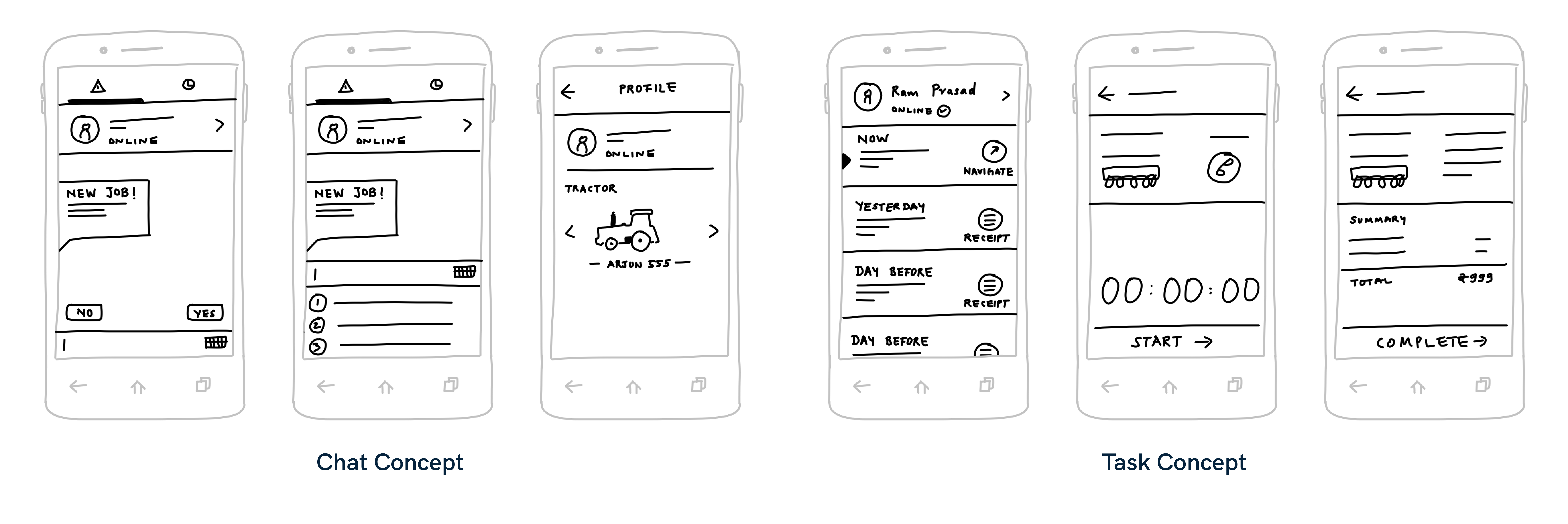
Field research pointed at WhatsApp as the only digital experience drivers reliably shared. So I sketched two directions and brought them back to the client to co-evaluate.
Concept A
Chat-based
A WhatsApp-shaped flow where each job arrived as a message and progressed via replies. Maximum familiarity, minimum learning curve.
Why we ruled it out
- → Hard to navigate back to past jobs once a thread grew long.
- → Adding a calendar on top defeated the simplicity that made it appealing.
- → Engineering couldn't deliver a chat interface in the PoC window.
Concept B — chosen
Task-based
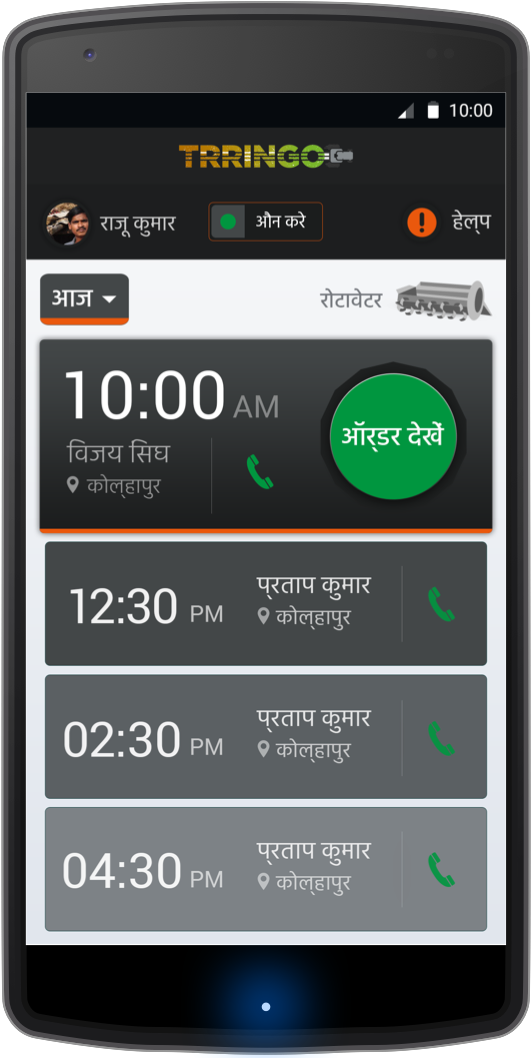
The day's schedule as a vertical list, with the next job pinned to the top and a primary CTA in view by default. Past and future jobs are one scroll away; a calendar surfaces when needed.
Why it won
- → Mirrors how drivers already think about the day — one job, then the next.
- → Job history and planning live in the same model, no mode switching.
- → Buildable inside the PoC timeline.
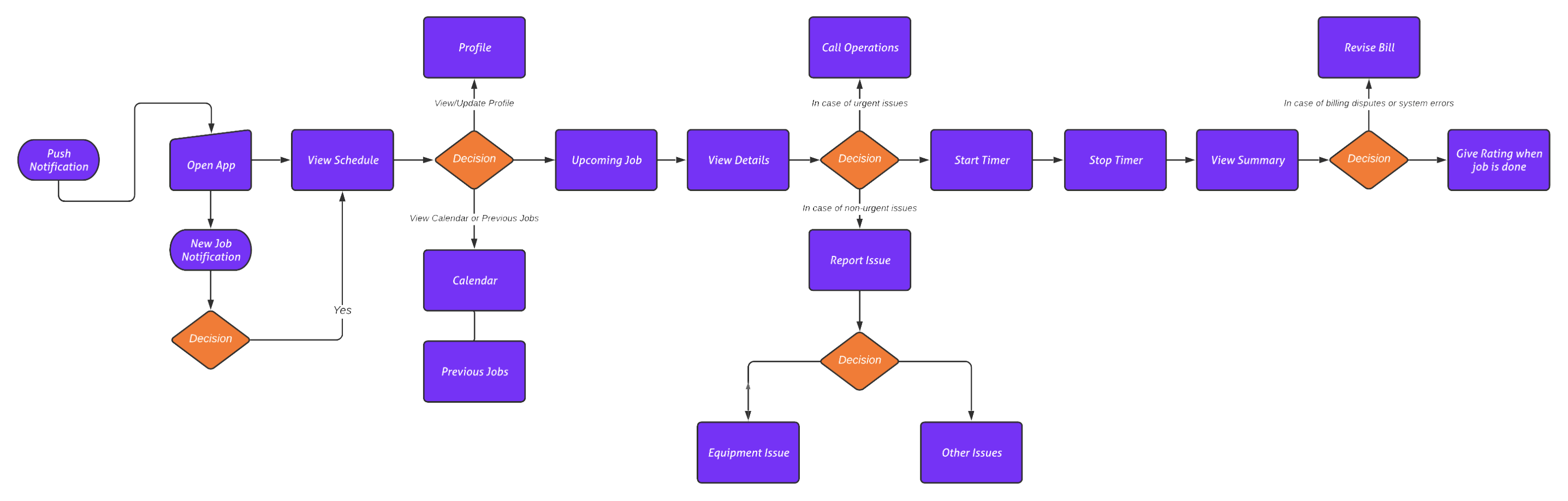
Wireframes: grounding the findings
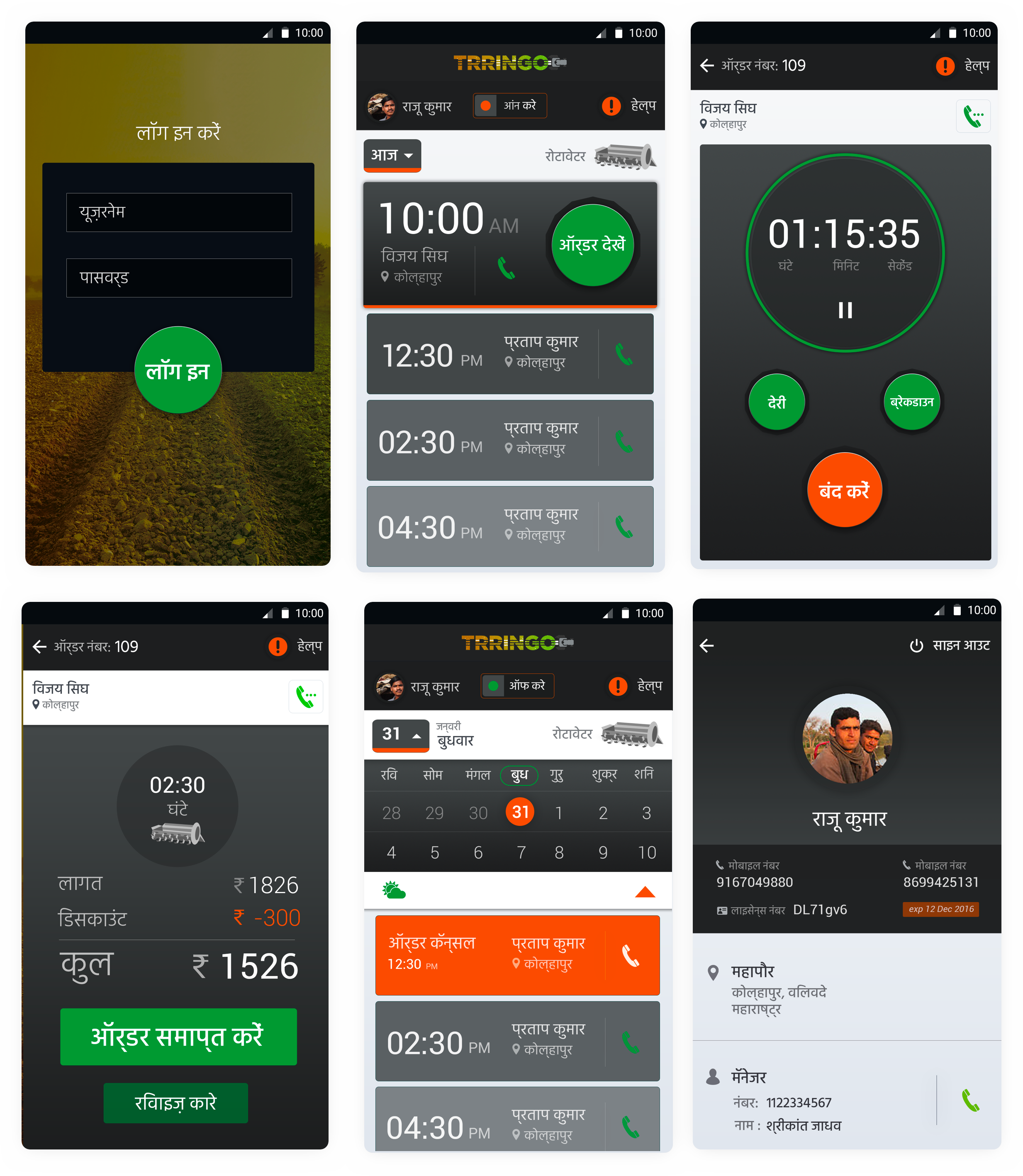
Highlight the upcoming job — what it is, where it is, and what the driver needs to bring.
Schedule-first home screen
The next job and the day's schedule sit on the home screen, with older jobs accessible by scrolling up. The "Start job" CTA is in view by default, alongside the location and farmer's contact.
Online / offline toggle
Borrowed from Uber: a clear toggle to signal availability. The status is the first thing a driver sees, and the only switch the call centre cares about.
Attachment images on every card
Field research surfaced that attachment type drives the whole job — what to hitch, what to bring, how to charge. Every job card carries an image of the attachment so drivers don't have to parse text.
Five localized wireframe sets
Each screen was built and tested in its target language — Hindi, Marathi, Gujarati, and two others — so layout, hierarchy, and CTA copy could be stress-tested by length and script.
Profile & manager contact
A profile area for licence and phone updates, plus quick access to the driver's manager — the human escape hatch when something on a job goes sideways.
Onboarding (cut, but designed)
I'd designed an in-app onboarding flow with language selection. The client cut it because onboarding happened in person at their hubs — a reminder that the app sits inside a larger service.
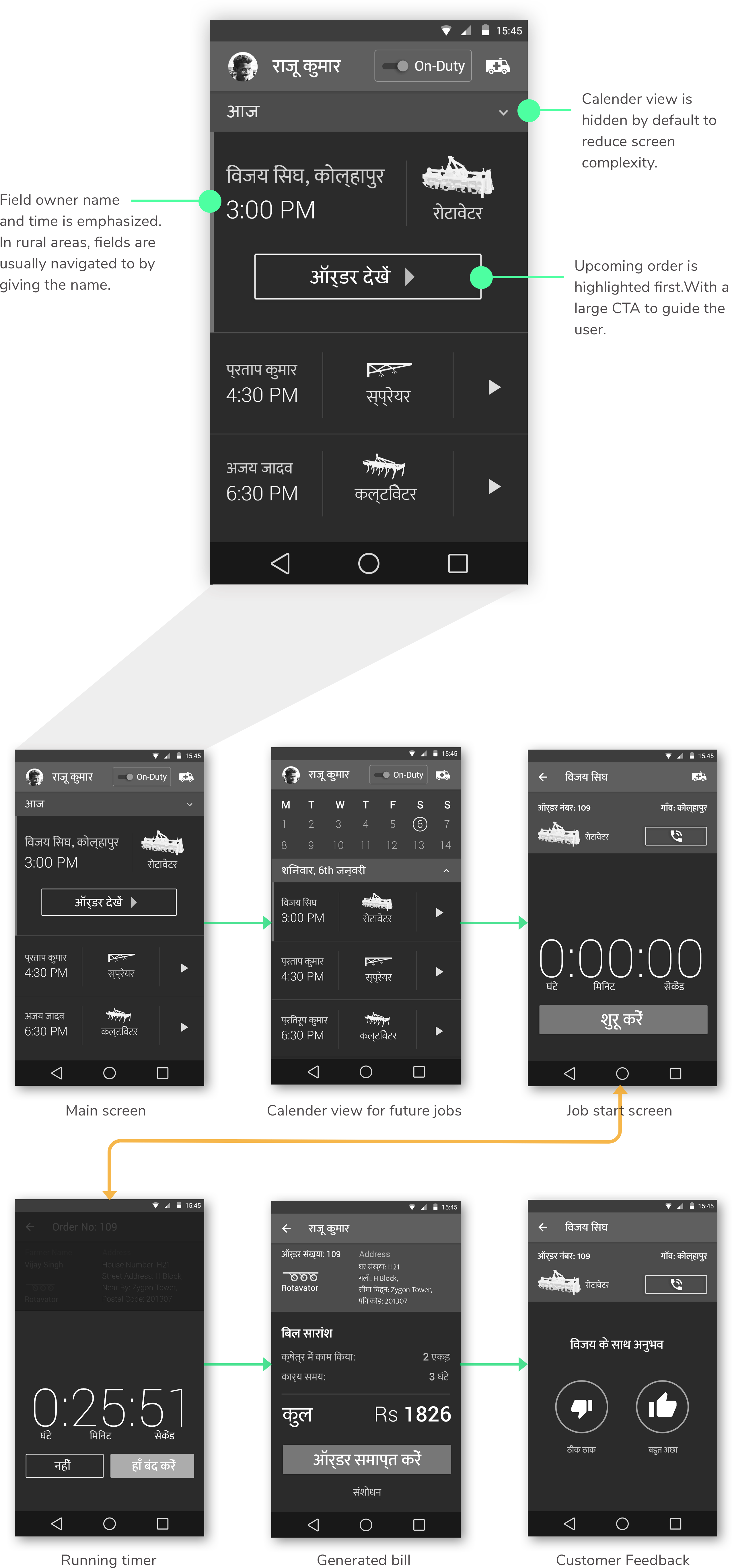
Testing: validating the assumptions
Without time or infrastructure to screen participants, we walked drivers through the project intent and then the primary flow. Most sessions ran as unstructured interviews. Two findings landed immediately:
One attachment is the norm
We'd assumed drivers would hop between attachments inside a day. They don't — an attachment is set at the start and used through the day. The job card hierarchy was simplified accordingly.
Calling beats messaging
Drivers wanted a call button on the home screen — not buried inside a job detail. Phones are still the canonical "is this real?" channel between driver and farmer.
The hardest moment came mid-test. I couldn't get one driver to complete any task and assumed it was a language issue — until he pulled a basic feature phone out of his pocket. I was trying to sell a smartphone app to someone who had never held a smartphone.
That moment changed how I thought about the brief. The product wasn't an app — it was a service, and the app was one channel into it. Onboarding at hubs (which the client had decided independently) suddenly made a lot more sense.
Visual design: designing for the field
Standard Android colour conventions didn't read well to drivers less familiar with smartphones — green primaries and grey secondaries felt arbitrary, not meaningful. I built the visual system around three simple rules:
Borrow traffic-light semantics
Red, amber, green — meanings drivers already know from the road. Status, urgency, and CTA priority all use the same palette so the rules don't have to be re-learned per screen.
Size CTAs by task priority
The primary action on a screen is visibly bigger than secondary controls — not a styling tweak but a literal hierarchy a driver can pick out at arm's length in the sun.
Maximum contrast, validated
Type and surfaces were pushed to high-contrast combinations and run through accessibility colour tools so they'd survive direct sun and a vibrating screen.
Localization: lessons from five languages
The app shipped in five regional languages. I'd designed for English first and assumed translation would be a finishing pass. It wasn't — language broke the design twice before I figured out how to design with it instead of around it.
Translation is a craft, not a pipe
I started with Google Translate for Hindi, Marathi, and Gujarati and quickly hit copy that was inaccurate, archaic, or context-free — buttons that technically translated but didn't read as actions. The client's local-language experts rewrote the wireframes in tone-appropriate copy, and the testing conversations got noticeably easier once the strings stopped sounding alien.
Default fonts can break Indic scripts
The default Android font produced incorrect maatras (vowel signs) for Hindi, turning real words into nonsense. I switched the type stack to Google Noto Sans, which is designed to render every script with a harmonious feel — the bug disappeared, and copy stopped looking faintly broken to native readers.
Reflection: limitations and learnings
An agency engagement rarely lets you watch the long tail. When I followed up after launch the client mentioned they'd simplified the app further as deployment scaled, but I never got detailed feedback on which decisions held up and which didn't. What stuck with me wasn't the design — it was the way the project re-shaped how I think about research and scope.
1. Use screeners as a probe, not a filter
Skipping screening let us walk in assuming every driver could use a smartphone. A screener wouldn't just have weeded participants out — it would have surfaced who our user actually was, before we'd written a line of copy. I now treat screeners as the first piece of qualitative data, not gatekeeping.
2. Look past the persona
Personas compress a lot of variance into one face. The smartphone moment was a person who didn't fit any of ours — and our personas were the reason we hadn't planned for him. Now I try to design at least one screen for the user outside the persona band, just to pressure-test the system.
3. The artifact isn't the solution
The client asked for an app. What drivers needed was a complete experience — hub onboarding, hardware fit, language, training, and the app together. Designing the app alone would have shipped a polished surface over an unsolved problem. The strongest decisions on this project were the ones that acknowledged the surrounding service.
Trringo was my first project in a context this far from my own — a different country, a different fluency level, a different relationship with technology entirely. The biggest takeaway is the meta one: the further the user is from you, the more of the design lives in the field, not the file.